
A QR code is a two-dimensional barcode. Its grid stores information such as text or a web address. The three large corner markers help a scanner find and orient the symbol.
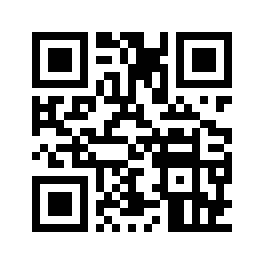
Recognize the pattern and its border
Each small square is a module. The clear margin, called the quiet zone, helps the reader distinguish the grid from nearby text or artwork. The shape alone does not tell you what the code contains.
Examine and read a real example
- Zoom in on the example. Identify the three large corner squares and the blank space around all four sides.
- Save the example and select it in the image reader. The decoded address should be https://example.com/.
- Generate a code for a short phrase and compare the grid. Its corner markers stay recognizable while the inner pattern changes.
If a design is difficult to scan
Start by checking that none of the corner markers or the quiet zone have been cropped. Then compare with a high-contrast black-on-white copy at the same size.
Frequently asked questions
Does scanning always open a website?
A QR code can hold a URL, plain text or structured data. The scanner decides how to present the decoded value.