
Point your camera at a printed code or another screen. For a screenshot on the same phone, save it and use an image reader. You can inspect the value before opening a link.
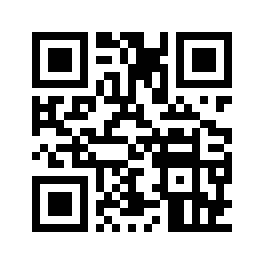
Choose based on where the QR code is
A sign, flyer or another display can go in the camera frame. For a code sent as a picture, save the original file before trying the reader. A sharp original is easier to read than a small message preview.
Try both ways with the same code
- Show the sample on another screen, open your camera and bring the full square into view.
- Save the image to your phone, open the image reader and select that file.
- Check that the result is https://example.com/. On the web reader, inspect the complete value before choosing to open it.
If nothing appears
Move away from reflections, then hold the code still while the camera focuses. For a screenshot, crop unrelated content and keep the blank space around all four sides.
Frequently asked questions
Do I need another phone to scan a screenshot?
You can read the saved image on the same phone. Another screen helps when you specifically want to scan with a live camera.